Rider Opt In
Would you like to know where the next standard club rides are going to? A few of our Ride Leaders will send an email with their proposed route, pace and distance the day before.
You can opt-in to receive emails for the various ride levels.
DISCLAIMER: Not all rides will be posted and rides are subject to change.
To receive an email, you must opt in. The following are steps to accomplish this (assuming you are using a desktop/laptop or if using a smart device, select Desktop):
1)
YOU MUST LOG IN - Click on Member Login in the upper right hand corner of the web page.
2) Move your mouse over your name, or click on your name.
3) Click on Profile.
4) Near the bottom of the screen, find the box named Forums.
5) Click on Forum Memberships.
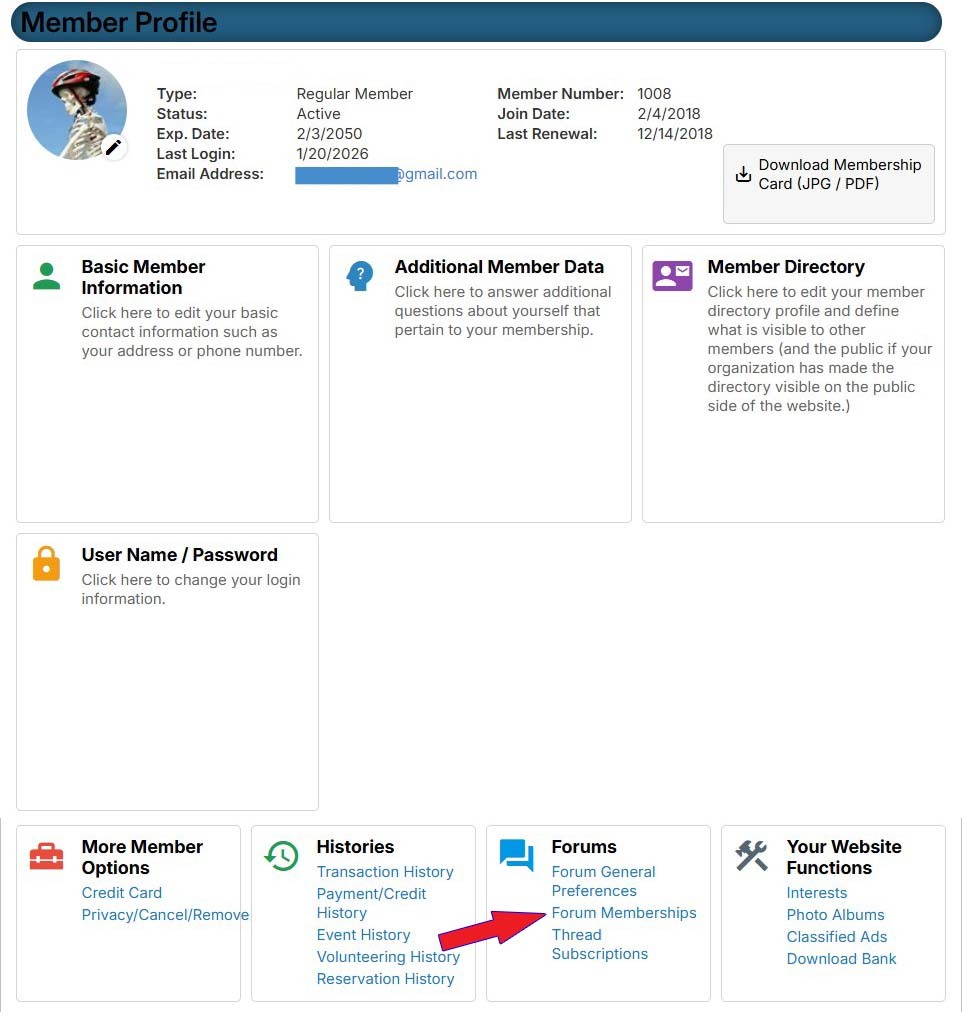
6) Under Optional Forums, select the rides you would like to receive an email from by clicking the Join button. Click as many as you would like.
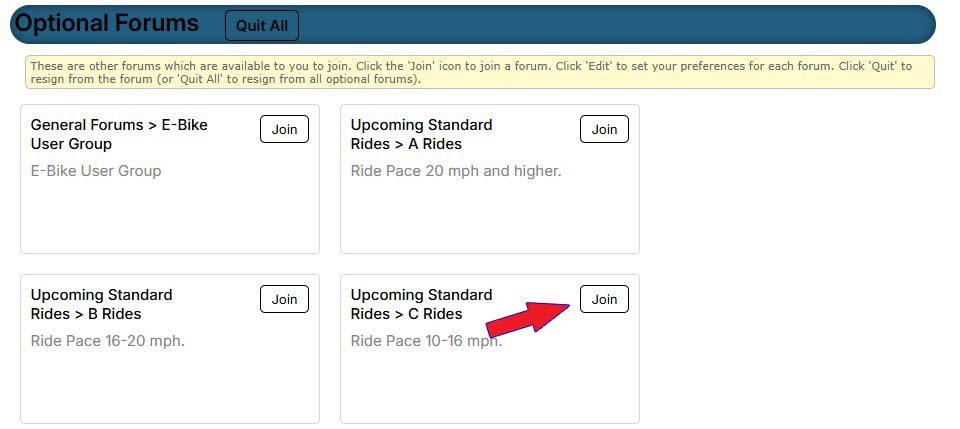
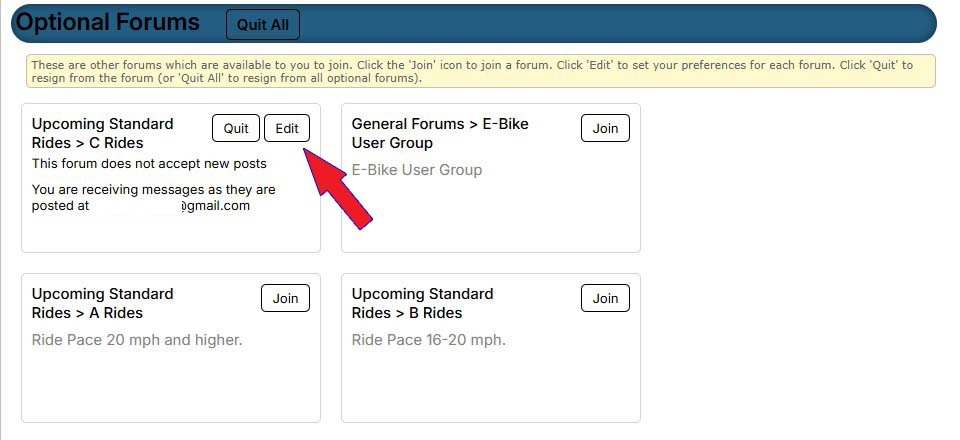
7) Once you have selected a ride, two things to take notice of:
- A Quit button will display.
- An Edit button will display.
8) Click on the Edit button.
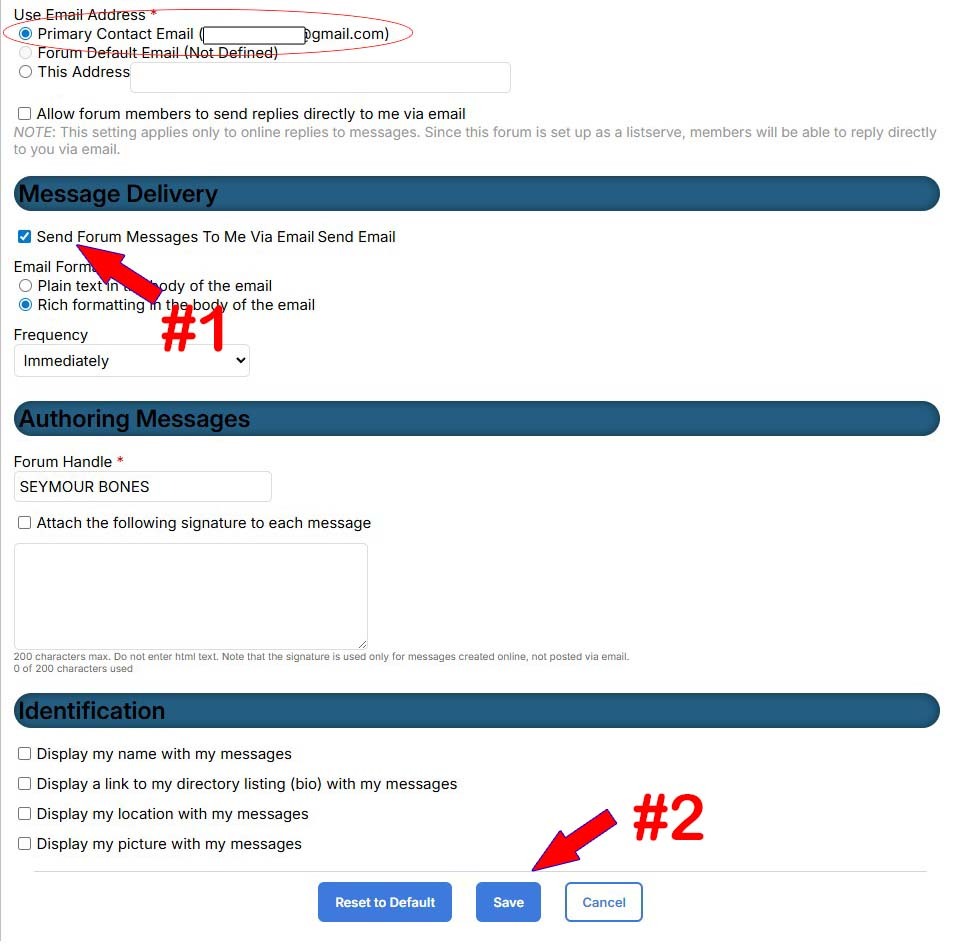
8) Ensure the Send Email box is checked to Send Forum Messages To Me Via Email (#1).
Click Save (#2).
If you do not see an email address, please contact the webmaster
webmaster@slbikeclub.org with your name and that you are not seeing your email address under the forum that you selected.
FYI - If more than one ride is scheduled for a particular ride level for the day, you will get an email for each ride.
If you have any questions or need assistance, contact the webmaster at:
webmaster@slbikeclub.org